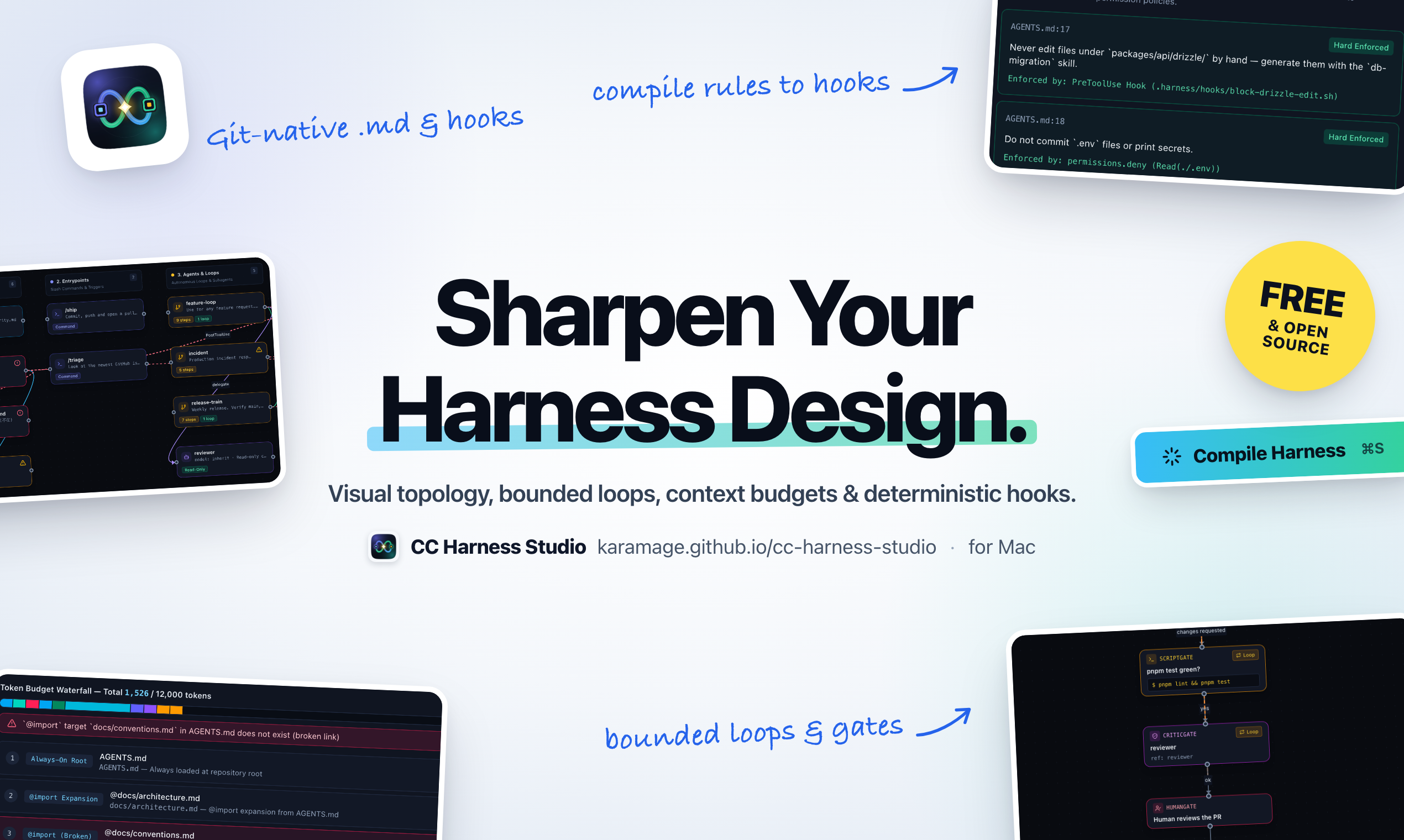
Sharpen Your Harness Design.
Write longer AGENTS.md prompts and hope the AI listens.
Engineer a harness that runs autonomously—and stops before breaking things.
Tired of hand-editing scattered AGENTS.md, skills, and fragile hooks? CC Harness Studio reads your repository's Markdown, JSON, and scripts into a single Unified Harness Graph IR. Wire agents visually, simulate context token budgets, compile bounded autonomous loops, and test deterministic hooks locally—zero lock-in.
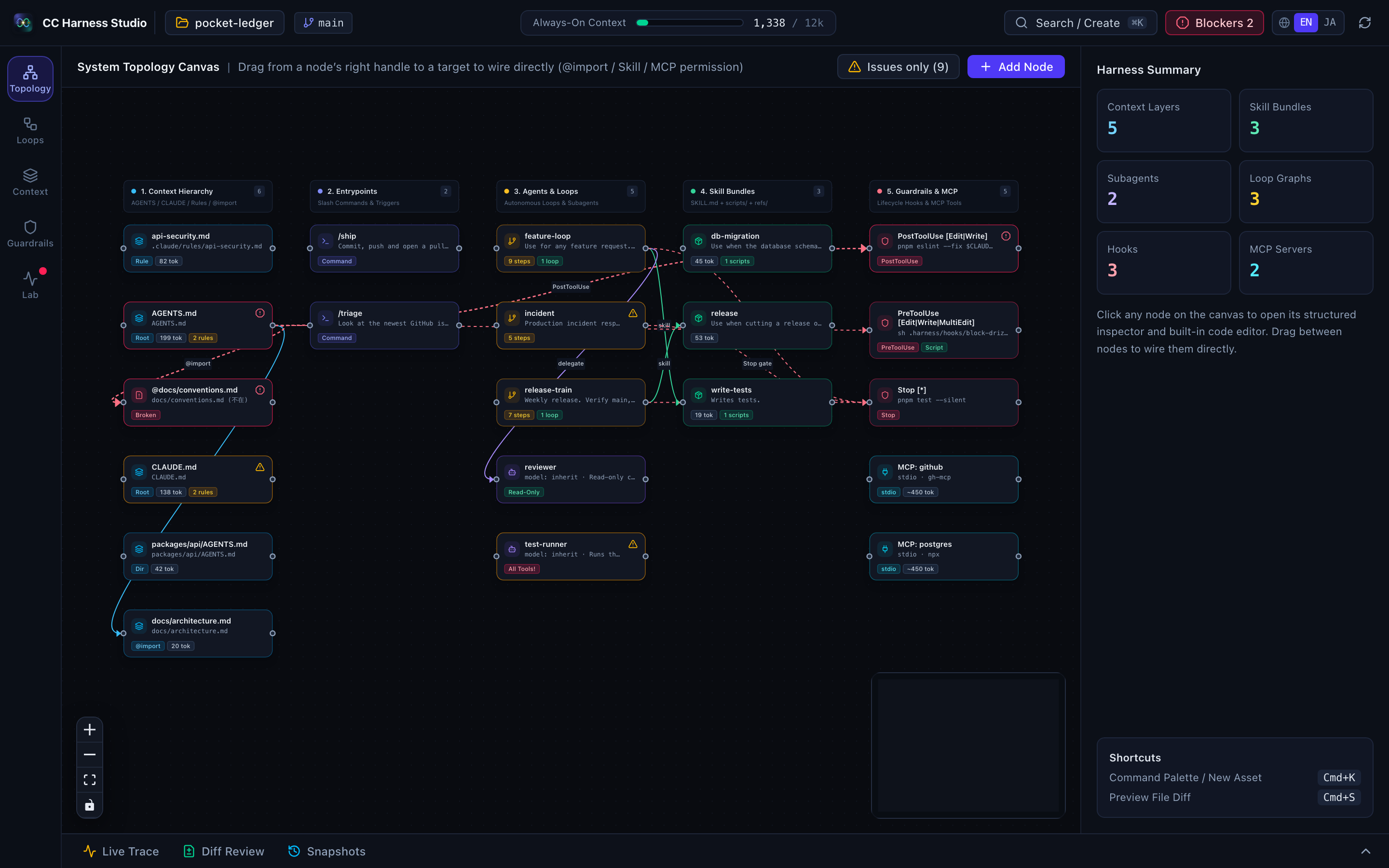
From scattered Markdown to a verified autonomous loop.
Stop managing AI behavior through guesswork. CC Harness Studio turns your repository's harness files into an inspectable, compilable, testable control system.
-
See every broken wire in milliseconds.
The Rust scanner walks your repository honoring
.gitignore, expands recursive@importchains, parses skills with bundled scripts, inspects hook commands, and flags concrete structural defects. -
Wire capabilities visually, lock down subagents.
Drag edges between contexts, agents, skills, and MCP servers. Use the Subagent Role Matrix to replace unrestricted tool inheritance with explicit
Read,Grep,Glob, and scopedBash(...). -
Turn flowcharts into executable autonomous loops.
Wrap implementation, tests, and read-only critic reviews inside a first-class
LoopFrame. One click compiles it into a Claude Code/run-*slash command and an executable shell verification gate. -
Replace polite prose with deterministic guardrails.
The Soft-to-Hard Compiler turns "never edit generated SQL" into a real
PreToolUseshell script that reads stdin JSON, exits with code2, and feeds corrective instructions straight back to the AI. -
Every write is validated, diffed, and reversible.
Nothing touches disk without a multi-file Hunk Diff preview, syntax validation (
sh -n/ JSON schema), and an automatic off-repo snapshot for instant 1-click rollback.
Try the Context & Guardrail Simulator.
Test how the bundled examples/pocket-ledger harness resolves layered context tokens and evaluates deterministic PreToolUse / permissions.deny guardrails — right in your browser.
A studio that can never touch your application code or secrets.
Every write goes through the Rust Scoped Harness Sandbox, and optional AI tasks run inside strict read-only isolation.
Allowed Harness Scope
- +write
AGENTS.md,CLAUDE.md,GEMINI.md,.claude/rules/** - +write
SKILL.md+ bundledscripts/,references/,examples/ - +write
.claude/{agents,commands}/**,.harness/**,.mcp.json - +merge
.claude/settings.json(onlyhooks&permissions, keeping unknown keys)
Strictly Blocked
- −writeapplication source code (
src/**,packages/*/src/**) - −touch
.env*,CLAUDE.local.md,*.pem,*.key,.git/**, symlink escapes - −grant
Write,Edit, orBashto backgroundclaude -pruns - −sendtelemetry or analytics — everything stays local on
127.0.0.1
Pre-write validation
Every .sh script is checked with sh -n and auto-marked +x. Every .json file is syntax- and schema-validated before disk writes, and snapshots are saved automatically for 1-click rollback.
Read-only AI isolation
Optional AI audit/design runs launch claude -p in an empty temp directory with --restricted --strict-mcp-config --tools Read,Grep,Glob and LOCKDOWN_SETTINGS blocking secrets.
Built for real engineering workflows.
Zero lock-in, Git-native
No proprietary cloud DB. Every diagram, rule, and hook is stored as human-readable standard files inside your repository.
4 built-in loop templates
Start immediately with Feature TDD Loop, CI Auto-Repair, Safe DB Migration, or Multi-Agent Spec-to-PR Pipeline.
Skill + Script Bundles
Manage
SKILL.mdalongside executablescripts/*.sh,scripts/*.py, andreferences/in a CodeMirror 6 workspace.Headless CI CLI
Run
cc-harness-studio check,compile, andrunin GitHub Actions or local git hooks with deterministic exit codes.Live file watcher
Edit a file in VS Code, Neovim, or git checkout a branch — the studio graph updates instantaneously over WebSocket.
~6.7 MB native macOS app
Single compiled Rust binary with embedded React 19 UI, powered by
tao+wryWKWebView andaxum.
Questions.
Do I need Claude Code installed to use CC Harness Studio?
No. Static diagnostics, Topology Canvas, Loop Studio & Compiler, Context Stack Simulator, Skill Bundle Editor, and the Hook Testbench all work 100% locally offline without an API key or Claude CLI. Only the optional AI Audit / Co-Design Lab invokes your local claude -p.
Does it work only with Claude Code, or also AGENTS.md / Codex / Cursor?
Both. It natively supports Claude Code (CLAUDE.md, .claude/{rules,skills,agents,commands,settings.json}, .mcp.json) as well as cross-agent standards (AGENTS.md, GEMINI.md, SKILL.md, .cursor/rules/, .github/copilot-instructions.md, and .harness/).
Will it overwrite my custom keys in .claude/settings.json?
Never. hc_core::sandbox::merge_settings_json structurally merges only the hooks and permissions objects, preserving every other key untouched—and shows a unified Hunk Diff before writing.
Can I run harness checks in CI?
Yes. cc-harness-studio check --json runs the exact same Rust diagnostic engine headlessly and exits with code 2 whenever a Blocker issue (like a broken @import or invalid hook variable) is detected.
What if I don't like a change I applied?
Every transaction automatically saves a timestamped snapshot outside your Git working tree. Open the bottom Snapshots drawer and restore any previous generation in one click.
Get CC Harness Studio.
Clone & build UI
Install Node 20+ and Rust
stable, then build the React 19 Studio UI once vianpm run build.Build macOS .app
Run
scripts/bundle.shto create the self-contained ~6.7 MBtarget/CC Harness Studio.app.Open any repo
Launch the native app, run
studioin your browser, or integratecheckinto CI.
git clone https://github.com/karamage/cc-harness-studio.git
cd cc-harness-studio
cd ui && npm install && npm run build && cd ..
scripts/bundle.sh
open "target/CC Harness Studio.app"